Cloudflare Access puts a login in front of an app. It checks who is signing in through a gateway that sits in front of the app, and it is free for up to 50 users. That is a good fit for an internal tool. A small company with a public site, a members area or a customer app is a different problem: it wants people to sign in on the site itself, with no password. This article covers osec Auth and Login Protection for that case, what they cost, and where Cloudflare Access is still the better tool.
What we offer instead
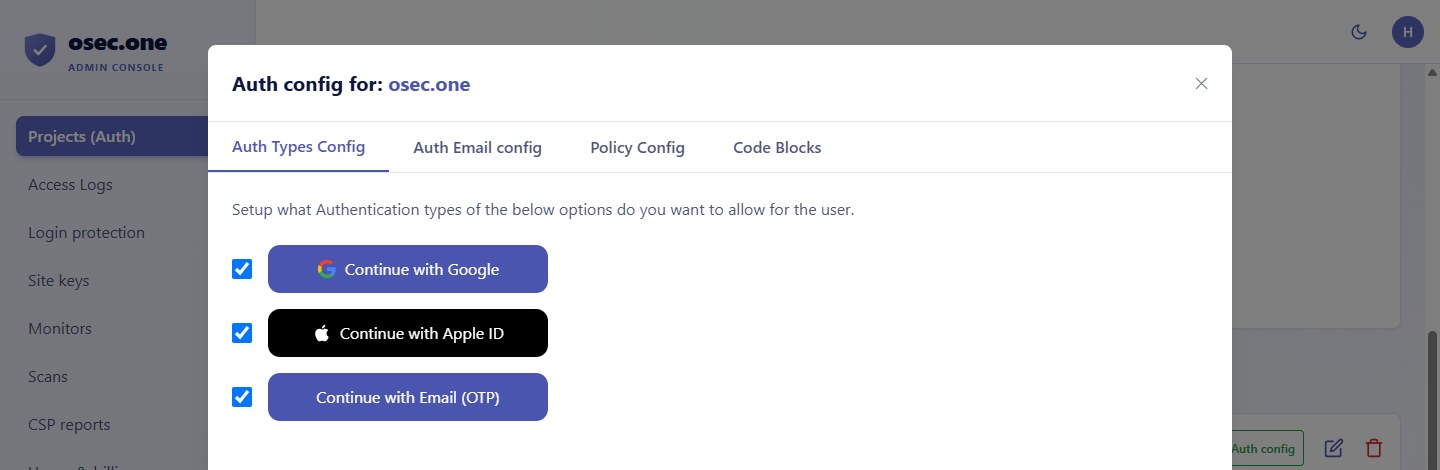
• osec Auth: passwordless sign-in for your site or app. An email code, Google and Apple in one dialog.
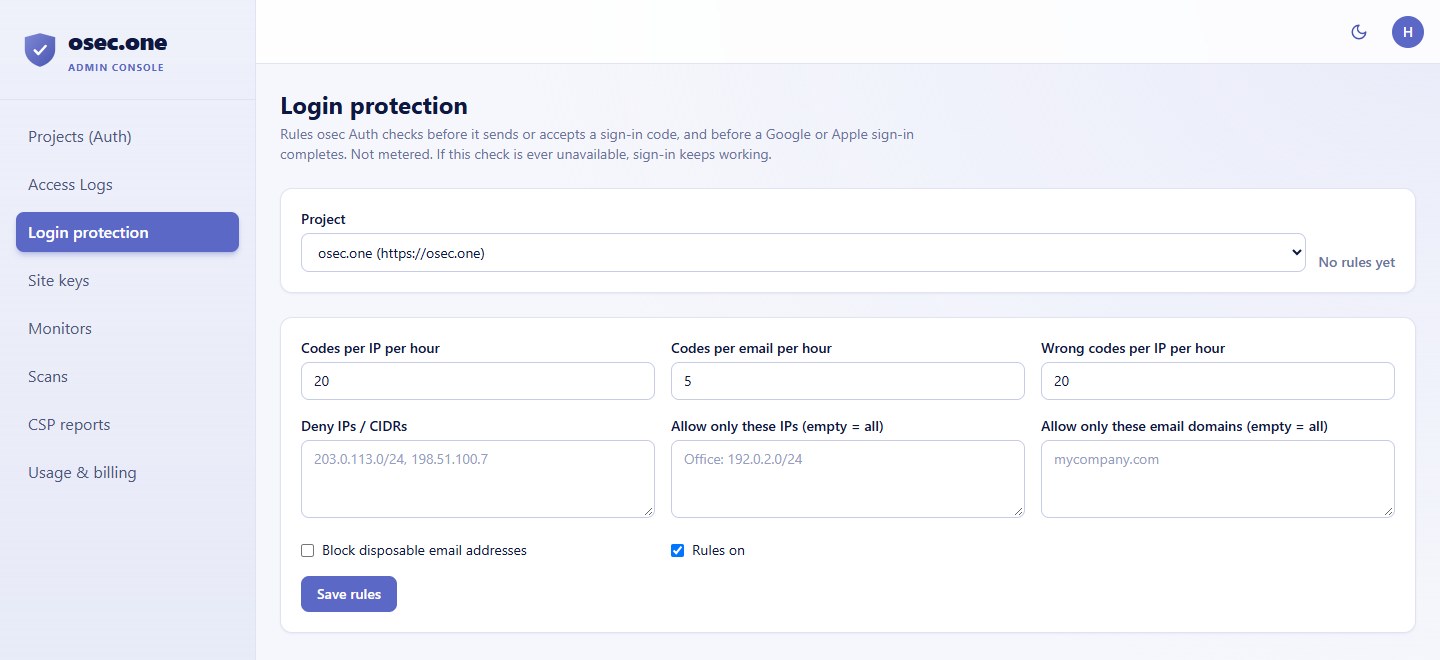
• osec Login Protection: sign-in rules for osec Auth. Code limits per email and per IP per hour, failed-code limits, IP and CIDR lists, allowed email domains and disposable-email blocking.
Five reasons to use osec instead
1. Sign-in is in your app. The dialog runs on your site. There is no gateway or proxy between your visitors and your pages.
2. No OAuth setup on your side. You don't create Google or Apple apps, keys or consent screens. osec.one holds them.
3. Built for public visitors. Access is built for a company's own team. osec Auth is built for customers, members and trials, with one sign-in for every site that uses it.
4. Rules that know about codes. Login Protection limits codes per email and per IP, not just per IP. That stops a code-spray on one address from a dozen IPs.
5. Email domain rules. Allow only your company's email domains, or block disposable addresses, for a team-only sign-in on your own site.
Pricing
• Cloudflare Access (Zero Trust): free for up to 50 users. $7 per user a month above 50 on pay as you go. Enterprise is a sales quote, with longer log retention and SIEM links.
• osec Auth: $0 for sign-in. Sign-in itself is not metered.
• osec Login Protection: set up in the same osec console, with its rules on the tool page.
For a team of under 50 people, Cloudflare Access costs nothing. For a public site with more than 50 sign-ins, the per-user price adds up, and osec's sign-in is free. Check Cloudflare's current price before you decide.
Where Cloudflare Access is the better choice
• Internal apps and networks: Access sits in front of apps that aren't on the internet, with a gateway, device posture checks and DNS filtering. osec Auth doesn't do any of that.
• Team sign-in across many apps: Access is one policy for many internal apps. Each osec sign-in is set per project.
• Logs and compliance: Cloudflare offers longer log retention and SIEM links on Enterprise. osec doesn't offer a SIEM feed.
Set it up
1. Sign in at osec.one and create a project in the Projects console.
2. Choose the sign-in types: email code, Google, Apple.
3. Add the sign-in to your site using the template for your stack (HTML, React, React Native, WordPress, Wix or Squarespace).
4. Set Login Protection rules: code limits, IP lists and allowed email domains.
5. Validate each API call against the session on your server.
Compare Cloudflare Access with osec Auth and Login Protection on one page.
Compare the alternativesSources
• Cloudflare Access product page: https://www.cloudflare.com/products/cloudflare-access
• Cloudflare Zero Trust free plan: 50 users, pay as you go $7 per user a month above 50 (checked 5 October 2026 through a search of published pricing; confirm before you buy).