What we found
• Check of 19 small sites (USA and India, October 2026): 13 showed no firewall in front.
• 4 of those 13 were behind a CDN or host edge: 2 on CloudFront, 2 on Vercel.
• All 4 are developers' own sites. The CDN headers make a site look covered; often it isn't.
CDN vs WAF in one list
• CDN: caches files near visitors, terminates TLS, absorbs plain traffic spikes.
• WAF: reads each request (path, query, headers, rate) and blocks, challenges or logs it.
• CloudFront: a CDN. AWS WAF is a separate service you attach to the distribution.
• Vercel: every project gets the platform-wide firewall with DDoS mitigation; the Vercel WAF (custom rules, rate limits, managed rulesets) is what you configure on top.
• Cloudflare: CDN and WAF from the same proxy once DNS points at it.
How a scan tells them apart
1. DNS: a CNAME to *.cloudfront.net, or an address in Cloudflare's published IP ranges, shows the edge.
2. Headers: x-amz-cf-id and x-amz-cf-pop (CloudFront), x-vercel-id (Vercel), cf-ray (Cloudflare).
3. Cookies and block pages: WAF products leave cookie names (__cf_bm, aws-waf-token) or branded block pages.
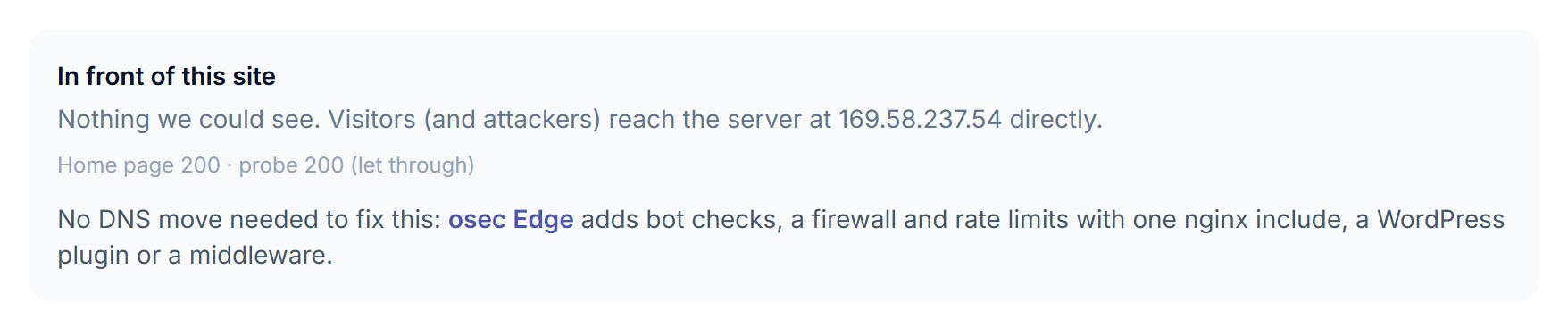
4. One harmless probe: a GET with an attack-looking query string. Blocked (403 or a challenge) = a WAF acted. Same 200 as the home page = nothing checked it.
5. Passive only (no probe) shows the CDN, not always the WAF: say "no firewall seen", not "no firewall".
What the 4 CDN sites showed
• CloudFront (2): x-amz-cf-id and x-amz-cf-pop headers, one with a *.cloudfront.net CNAME; no aws-waf-token cookie or WAF block page.
• Vercel (2): x-vercel-id and server: vercel; HSTS on both, no CSP, X-Frame-Options or X-Content-Type-Options on either home page.
• Origin leaks: one CloudFront site passed the origin's server: nginx/1.27.5 through.
• One CloudFront site sent none of the six security headers we check.
Close the gap
1. CloudFront: attach an AWS WAF web ACL with the core rule set and a rate-based rule on login and API paths.
2. Vercel: add custom rules and rate limits in the Vercel Firewall; use Attack Challenge Mode during a flood.
3. Your own origin: check each request at the server with an auth call (nginx auth_request, Caddy forward_auth, Traefik forwardAuth) or app middleware. No DNS change; fail open if the checker is down.
4. Set headers at the edge or origin: HSTS, nosniff, frame-ancestors, a starter CSP.
5. Re-run the scan and watch the probe line turn to blocked.
See whether a firewall acts on your site, with one harmless request.
Run the site protection scanSources
• AWS WAF with CloudFront: https://docs.aws.amazon.com/waf/latest/developerguide/cloudfront-features.html
• CloudFront, using AWS WAF: https://docs.aws.amazon.com/AmazonCloudFront/latest/DeveloperGuide/distribution-web-awswaf.html
• Vercel Firewall: https://vercel.com/docs/vercel-firewall
• Vercel WAF: https://vercel.com/docs/vercel-firewall/vercel-waf
• nginx auth_request: https://nginx.org/en/docs/http/ngx_http_auth_request_module.html