Every public server gets the same knocks: WordPress login pages on sites that have never run WordPress, .env files, .git folders, and phpMyAdmin. Most of these come from scanners that never stop. The requests fail, but each one still costs a log line, some CPU and a bit of attention when you read the logs.
What the bots are looking for
• /wp-login.php, /xmlrpc.php and /phpmyadmin/: admin pages for software you may not run.
• /.env, /.git/config, /.aws/credentials: files that leak secrets when a deploy is careless.
• Anything that returns 403 or 404 over and over from the same address.
Install fail2ban
Add a filter for dotfile probes
fail2ban ships a nginx-botsearch filter for common admin paths. Dotfiles need a small filter of their own. Save this as /etc/fail2ban/filter.d/nginx-dotfiles.conf:
Turn on the jails
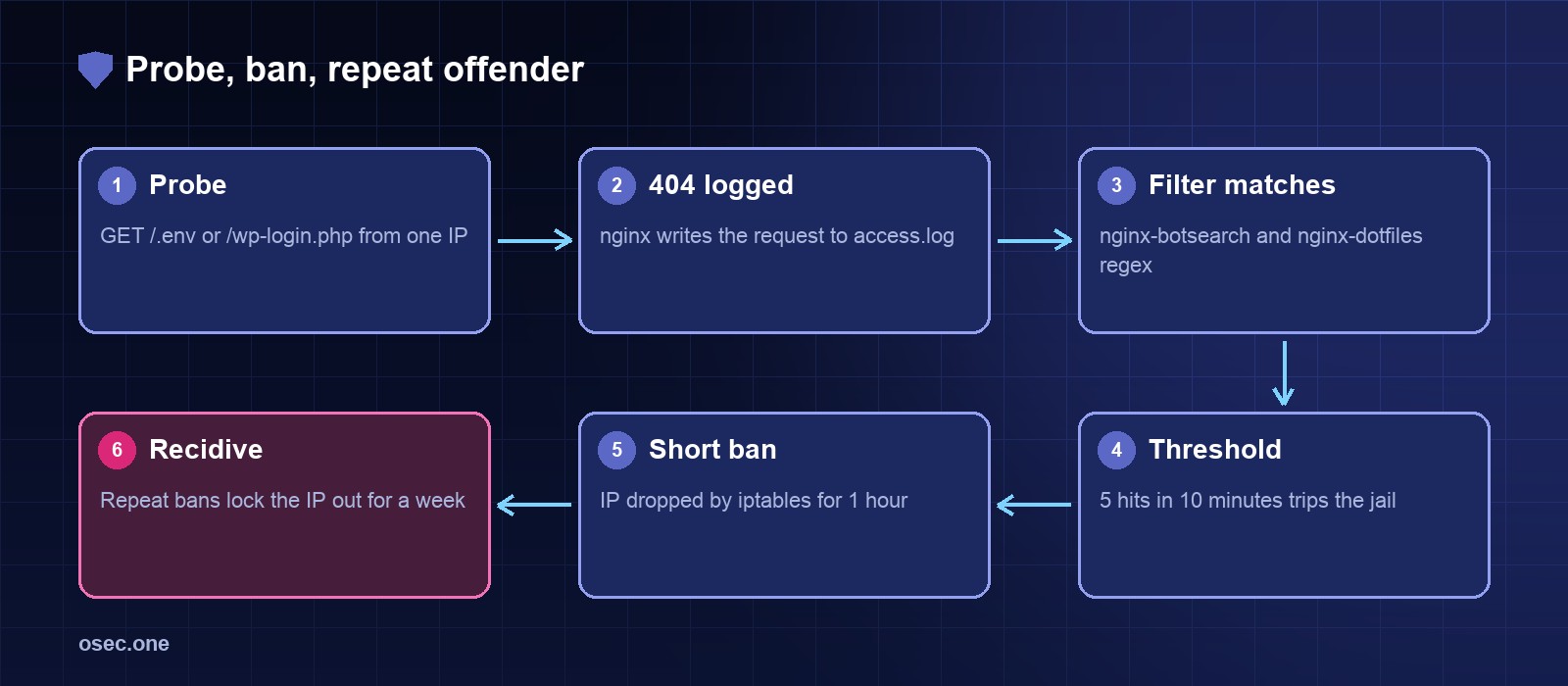
Put both jails in /etc/fail2ban/jail.d/nginx-bots.local. Five misses in ten minutes earns an hour;
Test before it bans anyone
fail2ban-regex runs a filter against the real log and reports what it would match. Run it first, then reload.
Check a ban and undo it
When a real visitor gets caught, unban by address. 203.0.113.45 is a documentation address; use the one from your log.
What it doesn't do
fail2ban only reacts after the first few requests. It won't stop a distributed scan where every IP sends one probe. For that, pair it with the path rules in the 444 article, and keep an eye on the report from the Python log script.
For the scrapers that ignore robots.txt, osec Bot Gate adds one more layer without moving your DNS.
Sources
• fail2ban documentation: https://www.fail2ban.org/wiki/index.php/Main_Page
• nginx access log format: https://nginx.org/en/docs/http/ngx_http_log_module.html