
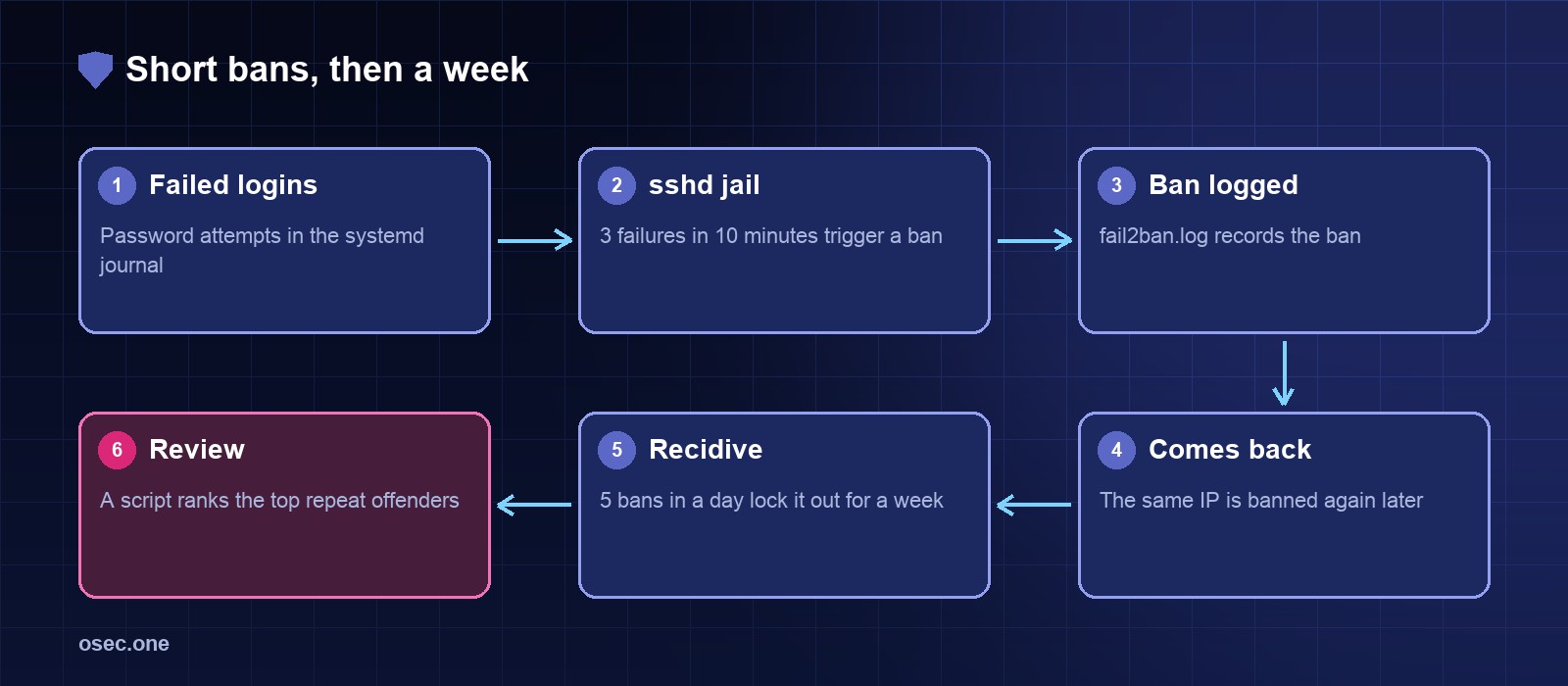
A short ban stops a password guesser for a while. A scanner that comes back an hour later and tries again gets a longer one. fail2ban can do both: a normal jail for SSH, and a recidive jail that watches fail2ban's own log for repeat bans.
Configure the SSH jail
On Ubuntu, sshd logs to the systemd journal, so the jail uses the systemd backend. Put the settings in /etc/fail2ban/jail.local, which overrides the packaged defaults.
Add the recidive jail
recidive looks for Ban lines in /var/log/fail2ban.log. Five bans within a day earns a week, and the ban covers all ports.
Reload and check
Count failed logins from the journal
To see the pressure before and after the change, count failed password attempts in the last hour:
Rank the repeat offenders
This script reads fail2ban's log and ranks the addresses that were banned most often. It needs read access to /var/log/fail2ban.log.
Keep the bans honest
Ban lengths are a trade-off. An hour is enough for a guesser to give up. A week suits an address that keeps coming back. If a shared address ever gets caught, unban it with fail2ban-client set <jail> unbanip <ip> and check the list again tomorrow.
For the scrapers that ignore robots.txt, osec Bot Gate adds one more layer without moving your DNS.
Sources
• fail2ban documentation: https://www.fail2ban.org/wiki/index.php/Main_Page
• fail2ban jail configuration reference (recidive): https://github.com/fail2ban/fail2ban/blob/master/config/jail.conf