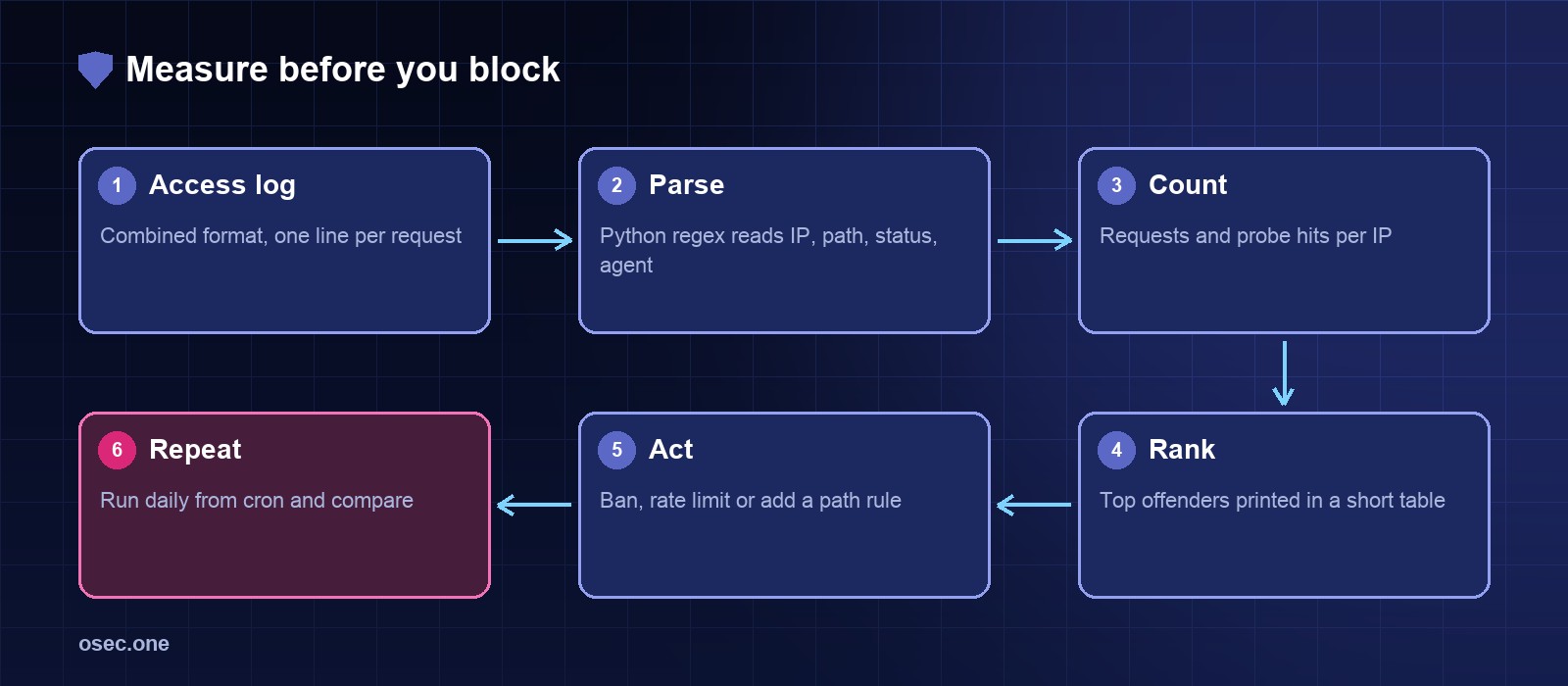
Blocking without measuring usually means blocking the wrong thing. A few lines of Python over the access log tell you which addresses send the most requests, which of them probe for files that don't exist, and which user agents they claim to be.
Know the log format
The default nginx combined format writes one line per request with the client address, time, request, status, bytes, referer and user agent. The script reads the fields it needs and ignores the rest.
The report script
Save it as nginx_bot_report.py. It takes the log path as an argument and reads the default path when none is given.
Run it
Find the most requested missing paths
A 404 count by path shows what the scanners are after. Field 9 is the status and field 7 the path in the combined format.
Turn the numbers into action
• An address with many requests and almost all probes: ban it, or add it to a deny list.
• An address with many requests and no probes: rate limit it, it may be a legitimate crawler.
• A path that every scanner asks for: block it at nginx, as in the 444 article.
Run the report from cron each morning and keep the output. A bot that appears on Monday and is gone by Friday is easier to spot in a list than in a screen of raw log lines.
Forms are the next thing bots reach for. osec Captcha adds a private, invisible check without moving your DNS.
Sources
• nginx log module (log_format): https://nginx.org/en/docs/http/ngx_http_log_module.html
• Python re module: https://docs.python.org/3/library/re.html