A rate limit is only useful when it hits the right traffic. A bot that sends 200 requests a second should hit a wall, and a person who opens a page with 40 images should not. nginx's limit_req module does this with a leaky bucket per key, usually the client IP.
Three knobs
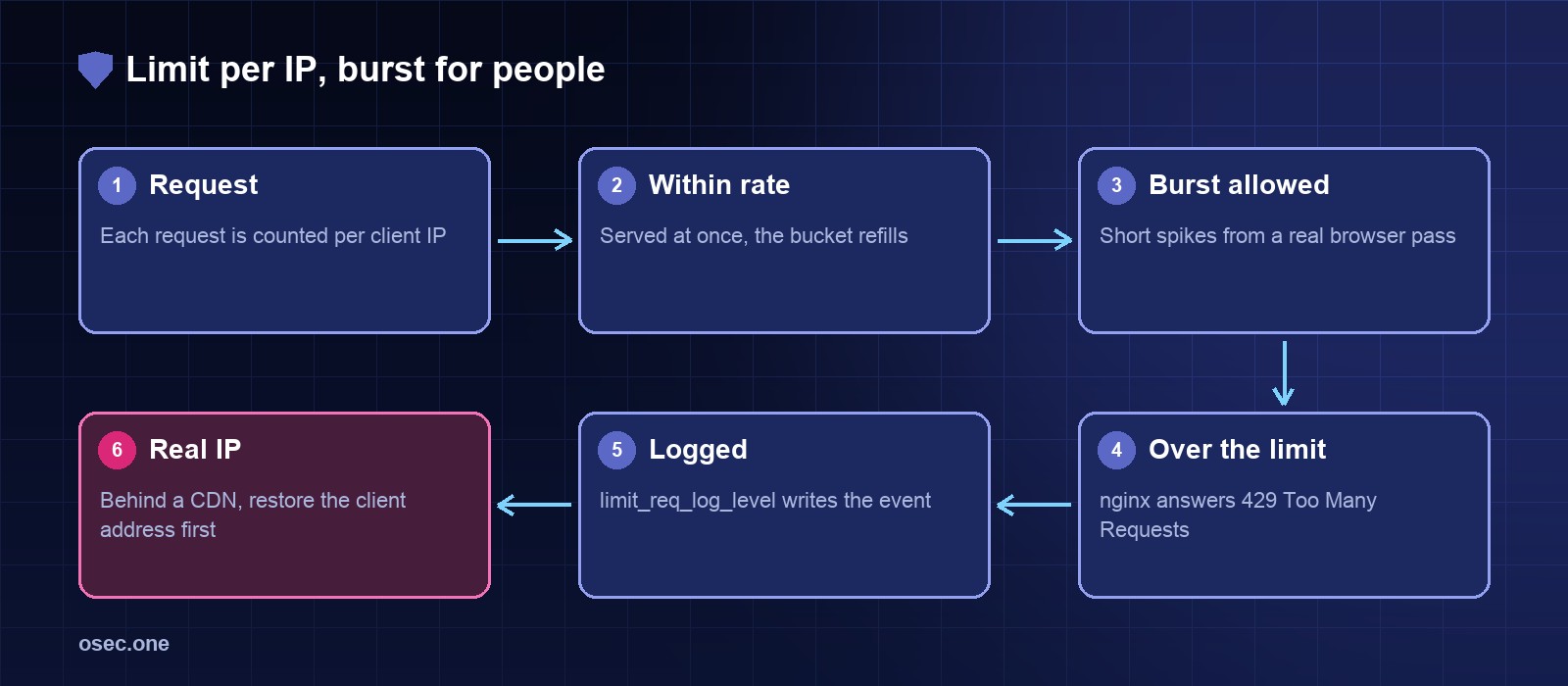
• rate: the steady pace allowed per key, such as 10r/s.
• burst: how many extra requests may queue when the bucket is full.
• nodelay: serve the burst straight away instead of spacing it out. Without it, a real browser loading a page waits for its own images.
Define the zones
Put the zones in the http context, for example /etc/nginx/conf.d/rate-limits.conf. $binary_remote_addr keeps the key small.
Apply them to locations
Give general pages room and put the sign-in path under a tighter limit. Both locations proxy to the app as before.
Behind a CDN, restore the client address
If a CDN or load balancer sits in front, every request arrives from its own address and all visitors share one bucket. Restore the real client address first, using the provider's published ranges.
Test the limit
Thirty quick requests from one client should show a mix of 200 and 429 responses. Then count the 429s by address in the log.
Pick the numbers from data
Start loose and tighten. Check the 429 counts for a week, and look for addresses that hit the limit while doing ordinary things. If a real page trips it, raise the burst before you raise the rate.
Sign-in attempts need their own limits. osec Login Protection sets per-email and per-IP rules for sign-in codes.
Sources
• nginx limit_req module: https://nginx.org/en/docs/http/ngx_http_limit_req_module.html
• nginx realip module: https://nginx.org/en/docs/http/ngx_http_realip_module.html