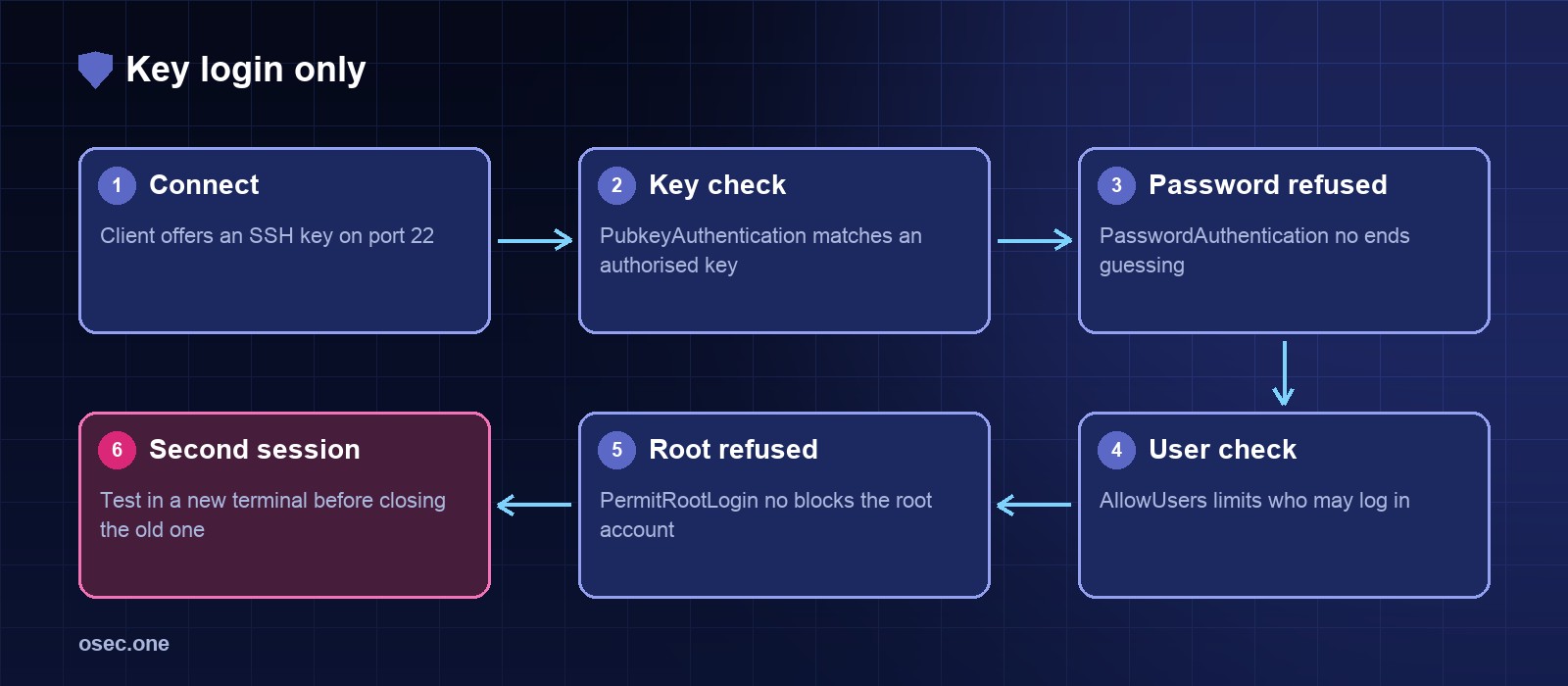
SSH is the front door of most servers, and bots try passwords on it all day. Two changes remove most of that risk: keys instead of passwords, and an explicit list of users who may log in. The one rule that matters: keep your current session open while you test, so a mistake can't lock you out.
See what is enabled now
Add a key before you turn passwords off
From your own machine, copy a public key to the account you'll use, then log in with it. Don't go on until that works.
Harden sshd with a drop-in file
Ubuntu reads /etc/ssh/sshd_config.d/*.conf by default, so the hardening stays in one file that's easy to review. The name starts with 00 on purpose: sshd uses the first value it reads, and cloud images ship 50-cloud-init.conf with PasswordAuthentication yes. Replace deploy with the users who need SSH.
Check the syntax, then reload
sshd -t parses the config without touching the running service. Reload only when it passes.
Audit it with a script
Settings drift when someone edits a file in a hurry. This script reads the effective configuration from sshd -T and compares it with the values you expect. Run it as root.
Keep the other layers in view
Key-only login stops password guessing, but it doesn't stop the connection attempts themselves. Pair it with a rate limit or a ban list from the fail2ban article, and keep the firewall rule that limits port 22 in the ufw article.
Certificates and uptime break quietly, too. osec Monitor watches both for you, free.
Sources
• OpenSSH sshd_config reference: https://man.openbsd.org/sshd_config
• Ubuntu sshd drop-in configuration: https://manpages.ubuntu.com/manpages/noble/en/man5/sshd_config.5.html