A default-deny firewall flips the question. Instead of listing what to block, you list what to allow, and everything else is dropped. On a small server that's a short list: SSH, HTTP and HTTPS. ufw is a front end for the Linux firewall that keeps the rules readable.
Check what is listening first
Before you write rules, see what is actually listening, so you don't close a port the site needs.
A firewall script you can rerun
Keep the rules in one script. Run it from a console or with a session open, because it resets the rules before it adds them back.
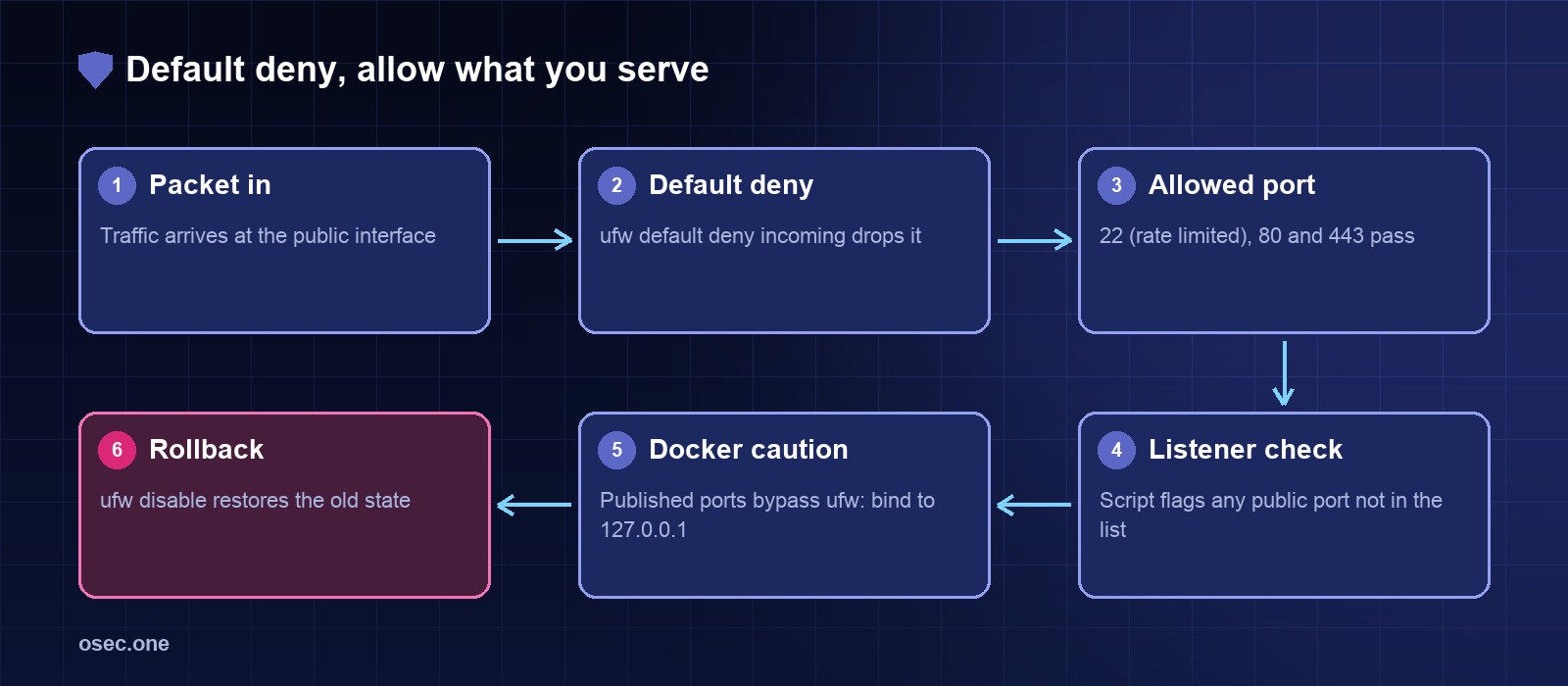
ufw limit allows SSH but drops an address that opens six or more connections in 30 seconds, which slows brute-force runs without a ban list.
Rollback
If something breaks, turn the firewall off and fix the rules while the server is open:
Check the public listeners with Python
ufw decides what traffic gets through. This check answers a different question: which ports are bound to a public address, even if a service only meant to be local is bound to all interfaces. It only reads ss output, so it's safe to run any time.
Docker is the exception
Docker writes its own iptables rules for published ports, so a container started with -p 8080:80 is reachable even when ufw denies 8080. Bind published ports to localhost and let nginx front them: -p 127.0.0.1:8080:80.
Certificates and uptime break quietly, too. osec Monitor watches both for you, free.
Sources
• Ubuntu wiki, UFW: https://help.ubuntu.com/community/UFW
• Docker, packet filtering and firewalls: https://docs.docker.com/network/packet-filtering-firewalls/