
Patching is the boring part of server hardening, and the part most often skipped. unattended-upgrades installs only the security updates from the distribution, on a schedule, and writes a log. It can't fix a misconfigured service, but it closes the known holes while you're busy.
Install it
Limit it to security updates
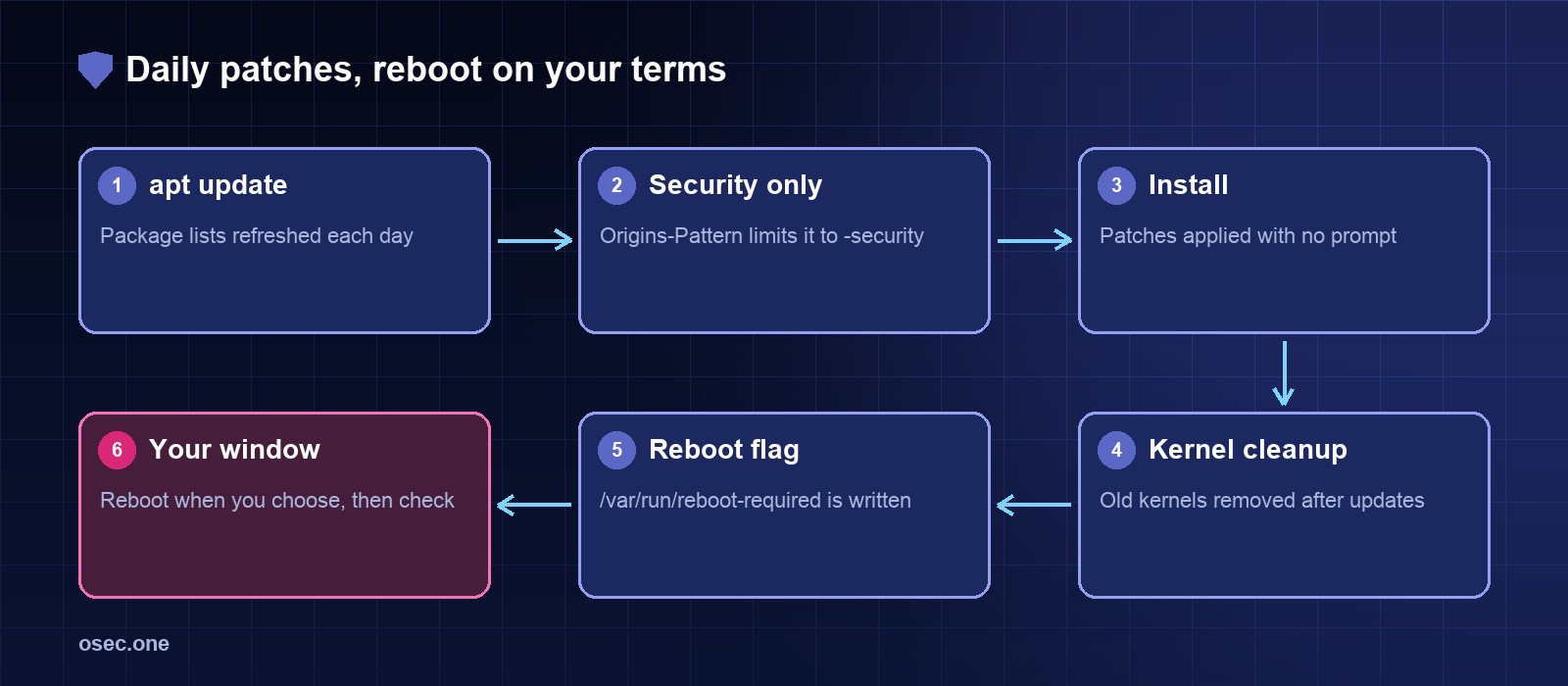
The defaults already cover the Ubuntu security pocket. Check the origins in /etc/apt/apt.conf.d/50unattended-upgrades, and set reboots and cleanup explicitly so nothing changes by surprise.
Turn on the daily run
Dry run and status
A dry run shows what would be installed without installing it. Run it once after setup.
Check the log and the reboot flag with Python
When a kernel or a core library is updated, Ubuntu writes a reboot flag. This script reports when the log was last written and whether a reboot is pending. It exits with 1 when a reboot is needed, so cron or monitoring can act on it.
Pick a reboot window
A kernel update does nothing until the server restarts. Choose a time with low traffic, reboot, then run the status check and the site checks again. Keeping the reboot manual avoids surprise downtime, and the script above tells you when it's due.
Don't rely on it alone
Automatic patches cover the operating system and its libraries. Your application's dependencies, containers and language runtimes need their own update path. Check them on a schedule, along with the sign-in and firewall settings in the other articles in this series.
Certificates and uptime break quietly, too. osec Monitor watches both for you, free.
Sources
• Ubuntu server docs, automatic updates: https://ubuntu.com/server/docs/install/unattended-upgrades
• Debian wiki, unattended-upgrades: https://wiki.debian.org/UnattendedUpgrades